Hayley Barnes
Graphic Designer
Are you read to turn your ideas into a reality?
Whether you have a project in mind, questions about the industry or just want to say hello, feel free to reach out!
Projects
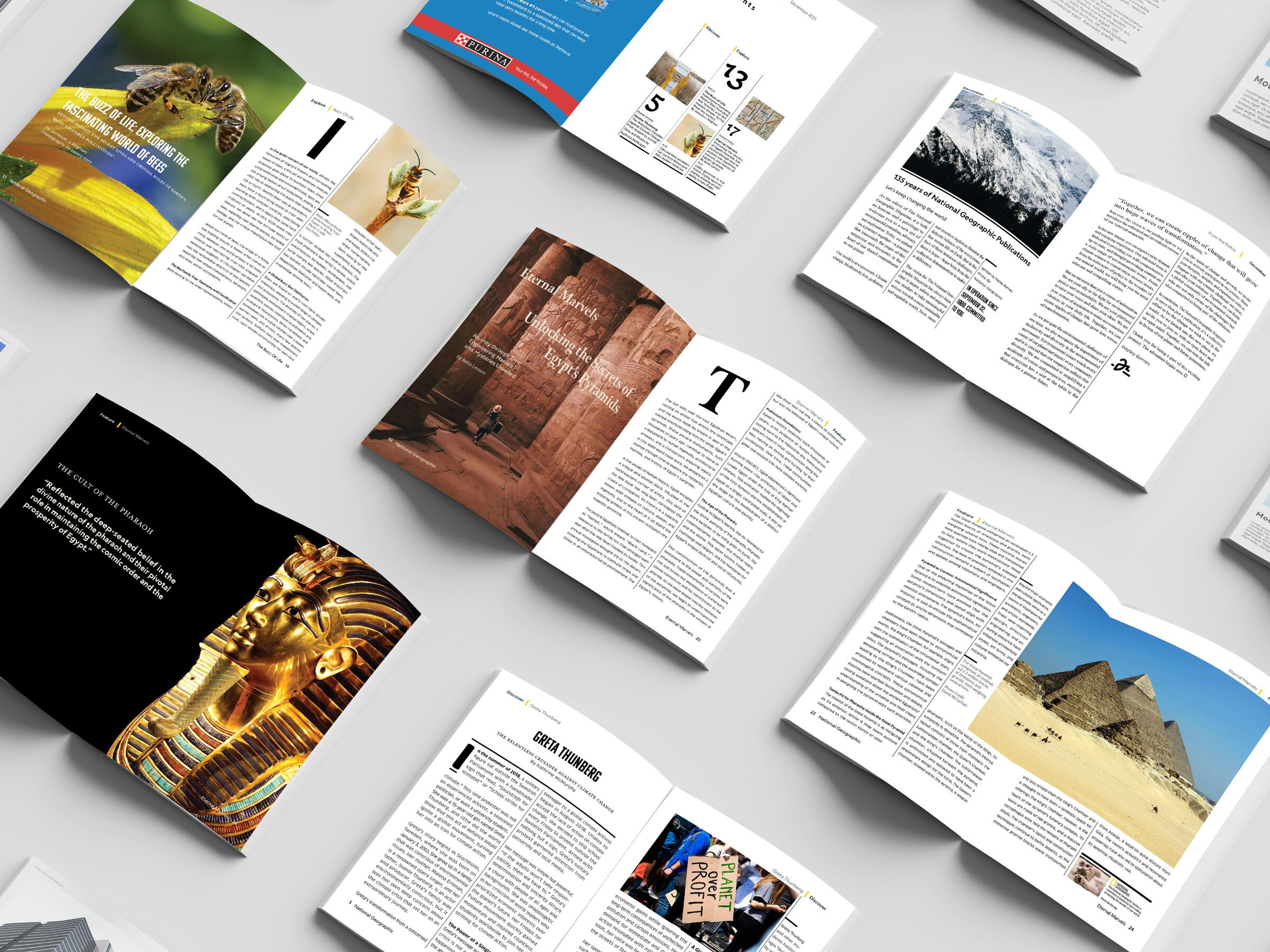
Editorial Branding
A hypothetical next month edition of the National Geographic Magazine. Utilizing their brand branding to follow style guidelines.
Projects
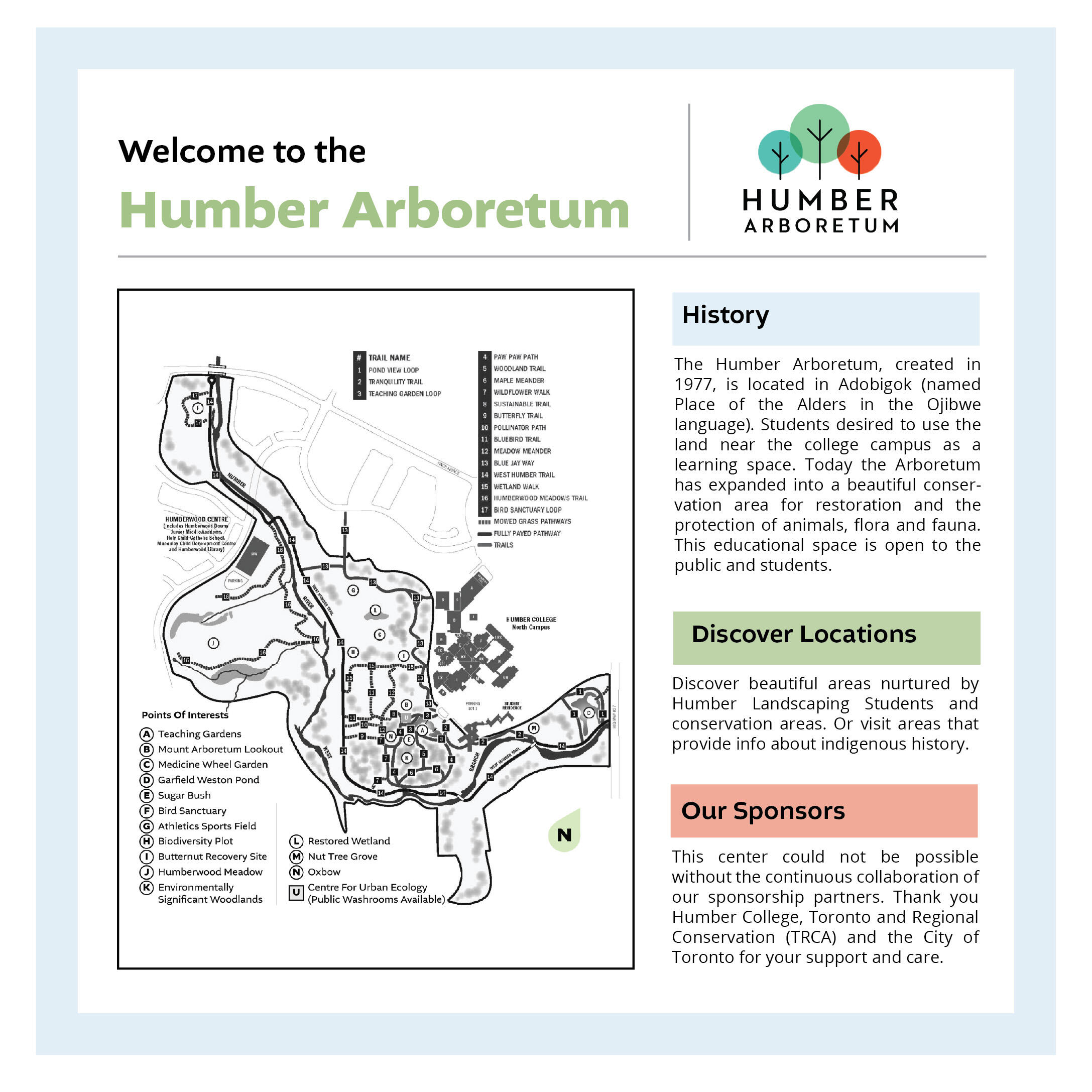
Humber Arboretum Signage
Establishing a standard signage system for the betterment of travellers on the Humber Escarpment. As a team utilizing research and analysis techniques to achieve our design goals within 7 weeks.
Unity Toronto Gym
Branding Internship
Designing branded content digital and print that align with branding guidelines. Assist in maintaining a content calendar and creating captions that align with Unity’s tone. Support growth efforts across Instagram. Campaign Planning & Analytics. Propose recommendations based on performance insights Event Support & Multimedia Content. Participate in brainstorms for event marketing and partnerships.
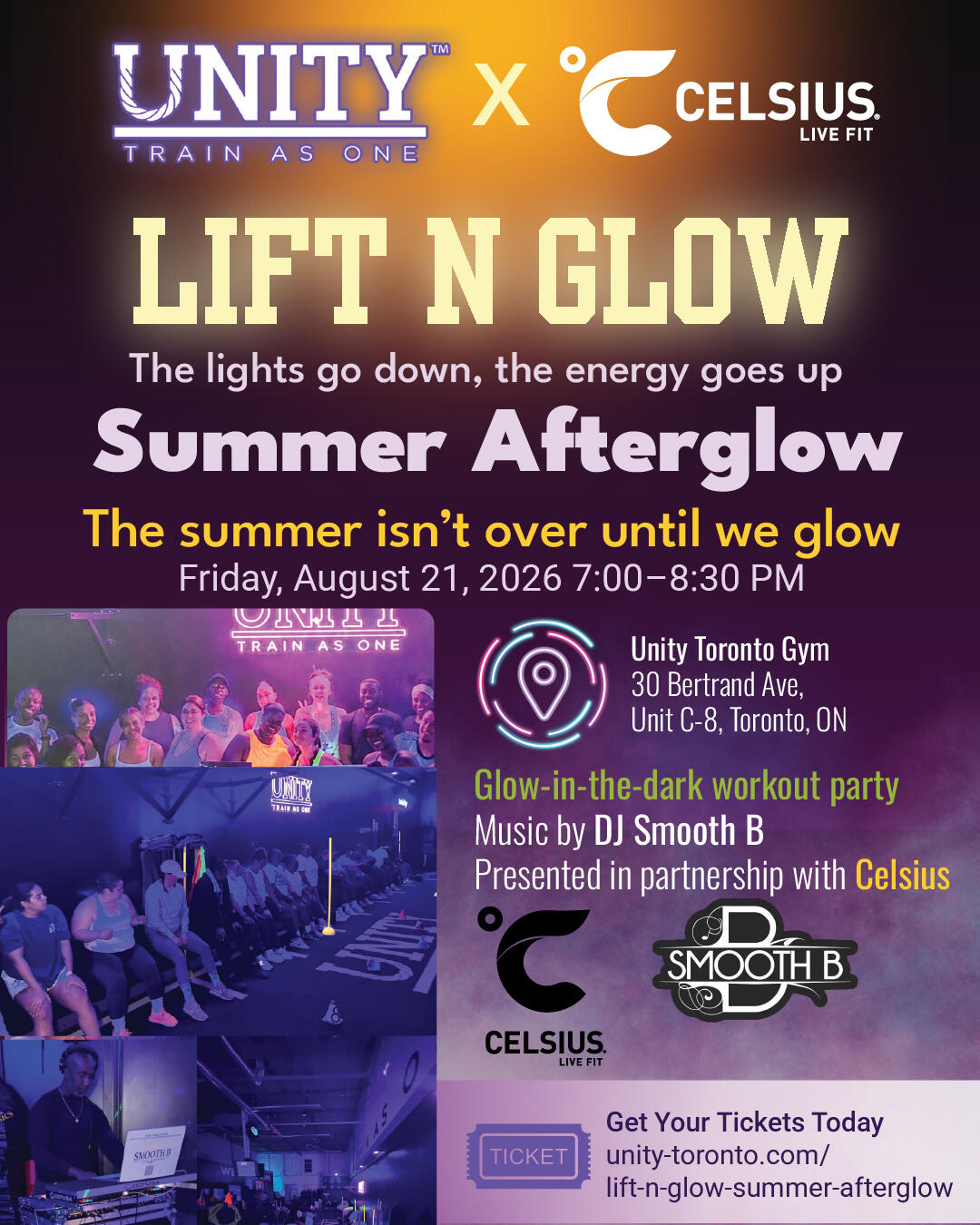
Lift N Glow

Move with Unity Social Media Campaign
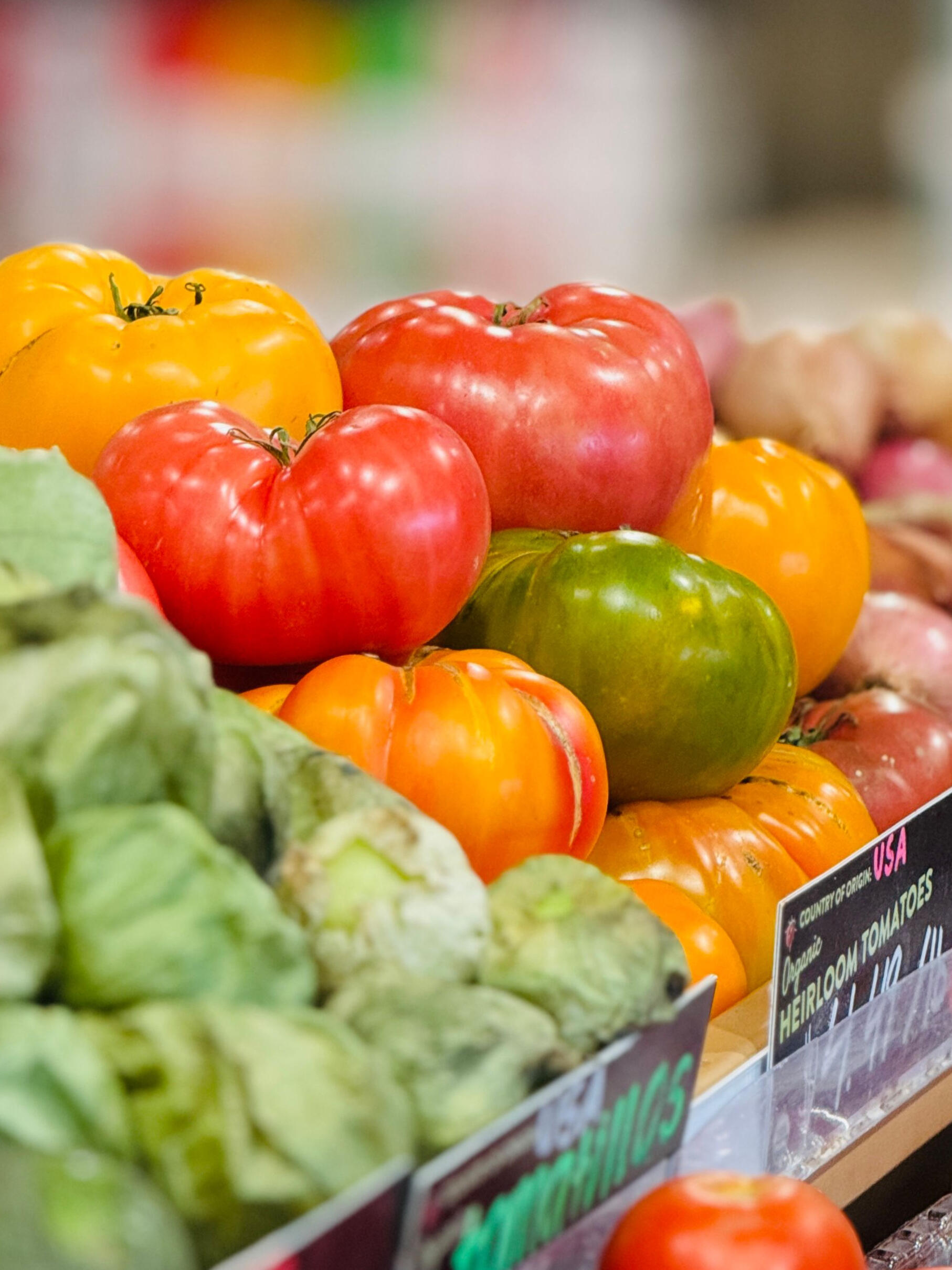
Unity Welcome Package
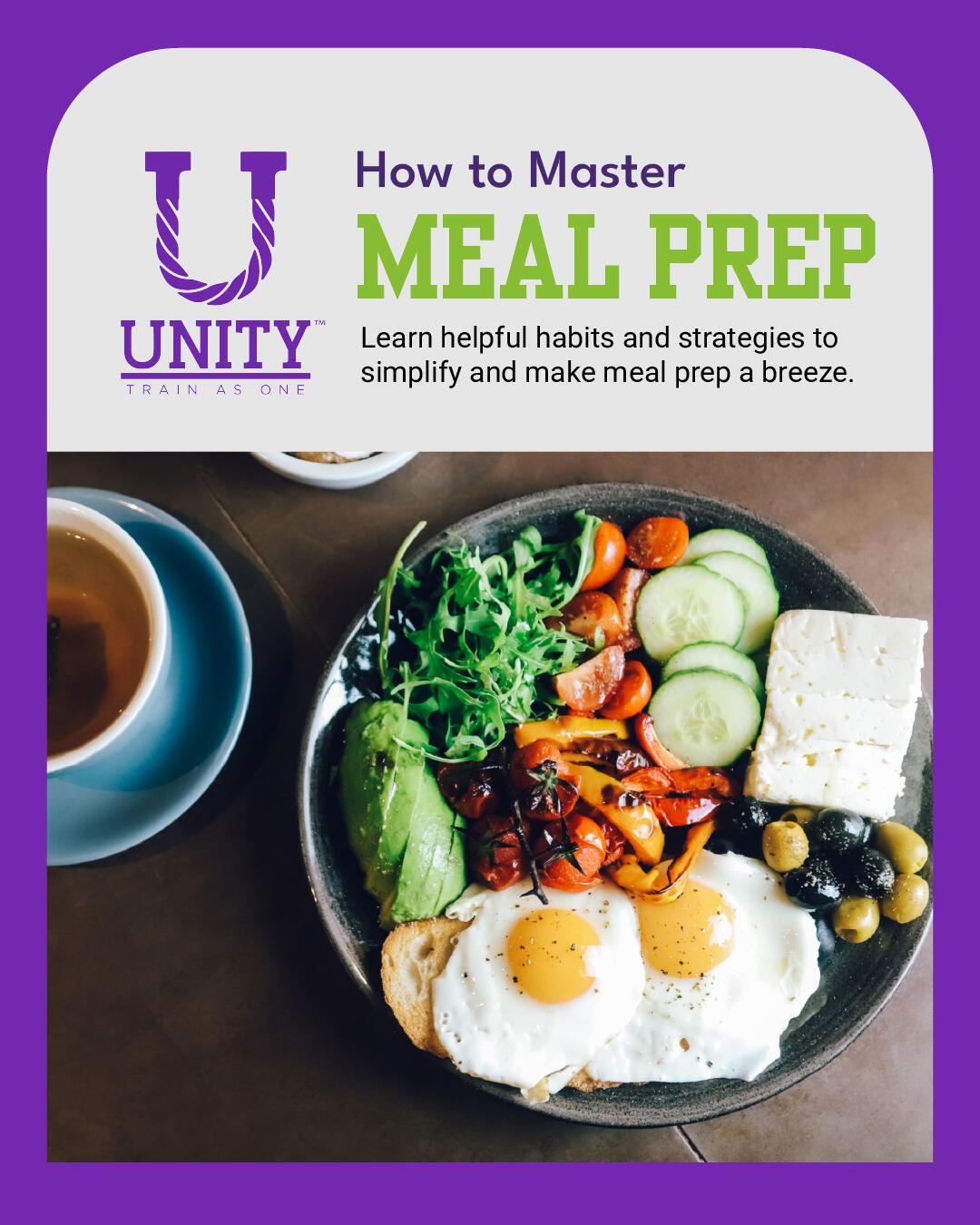
Nutritional Social Media Carousels
Projects
Temporal Infographic
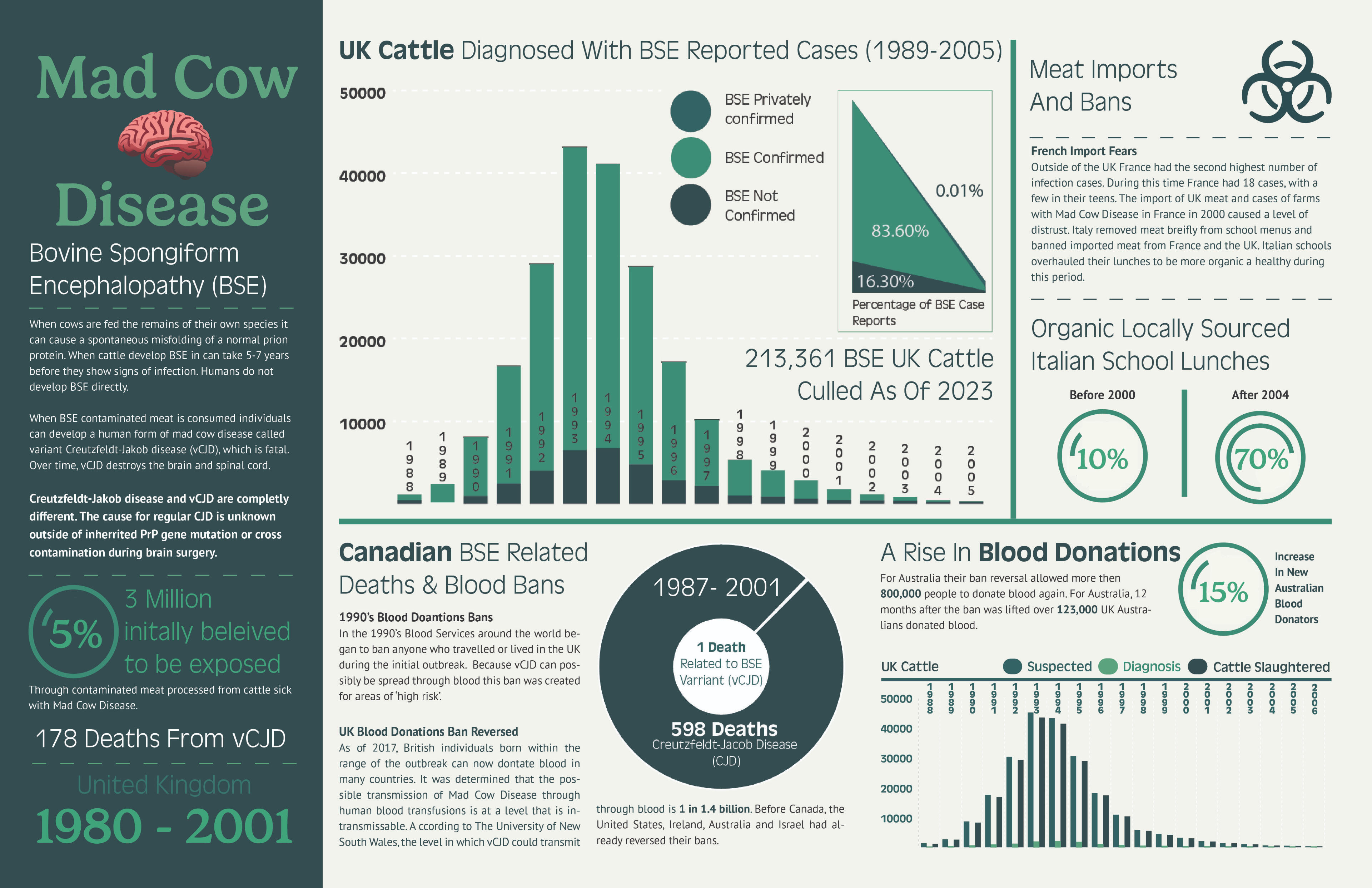
Data analysis and research of the Mad Cow disease outbreak in Great Britain and it's impacts. Developed into a informational graphic.
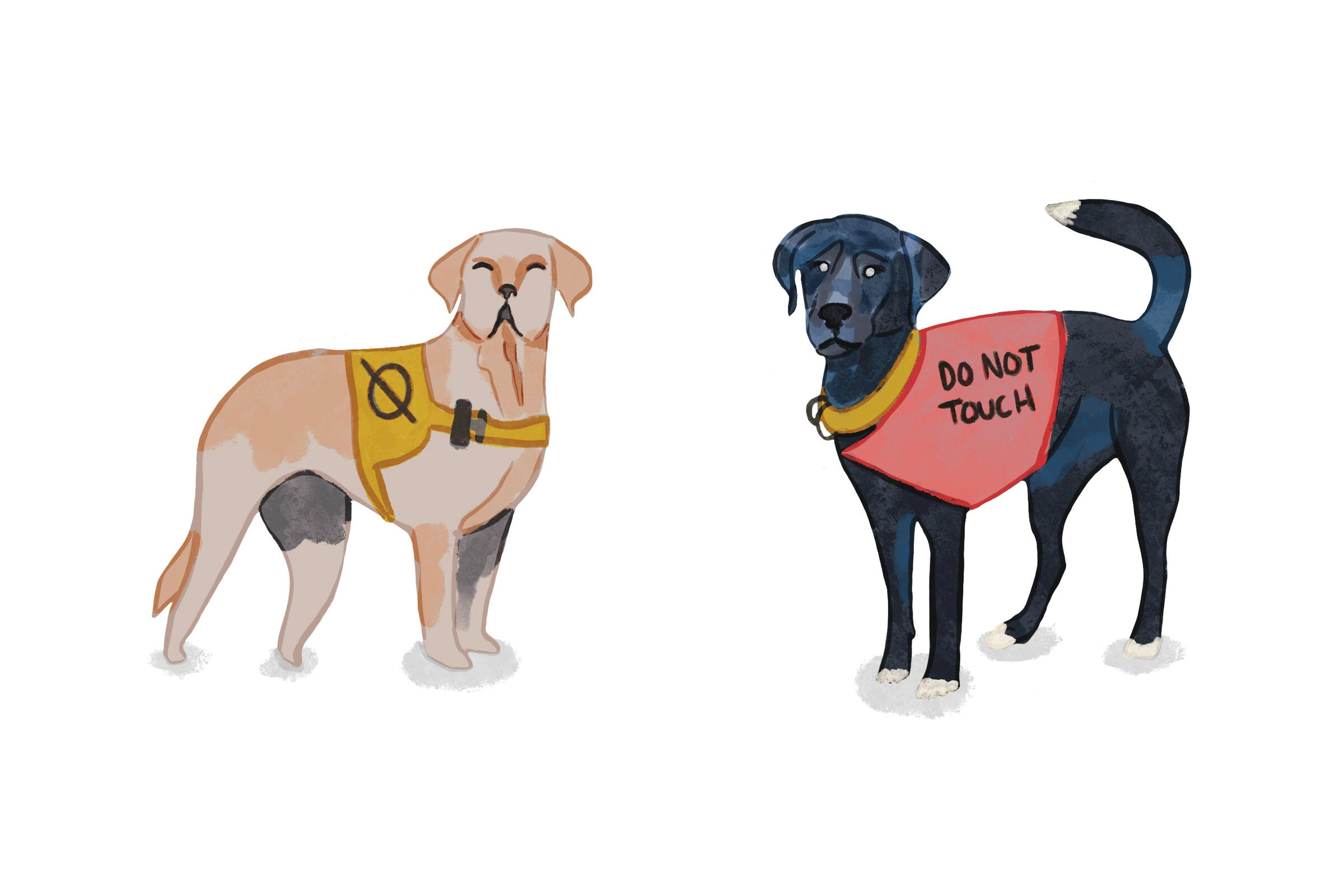
Other Content
Illustrations
Successful graphic designs can only be complemented by the elements attached. Alongside design I also specialize in fine-line tattoo and watercolour style digital illustrations.
Hayley Barnes
Graphic Designer
Hello, I'm Hayley Barnes a Freelance Graphic Designer located within the GTA. An imaginative artist who has worked with Graphic Design and front end coding for 4 years. Storytelling through illustrations is a passion of mine. The way in which a composition of a work can be adapted to express the human experience. To make people think and feel with art.From a simple logo to an entire brands identity: are the fragments of art that form individuals daily decisions. For Freelance work I specialize in editorial, data visualization, and illustration. Although I am a Freelance Designer I am open to new opportunity's and open to work on strong team oriented projects. Always thrilled to collaborate with passionate partners. Eager to elevate both of our knowledge and push the boundaries of creativity.

Graphic Design
Skills
| Design Tools | Technical Skills | Soft Skills |
|---|---|---|
| Illustrator | Typography | Adaptive |
| Photoshop | Illustration | Organized |
| Adobe XD | Usability Testing | Problem Solving |
| InDesign | Layout design | Communication |
| After Effects | Wireframing | Creative |
| Premiere Pro | Sketching | Collaborative |
| Figma | Brand Identity | Leadership |
| Procreate | Iconography | |
| Webflow | Design Principles | |
| Format | Prototyping |
Let's Make It Official!
Contact
For all inquiries, please use this form or email me at [email protected]
Major Studios Project
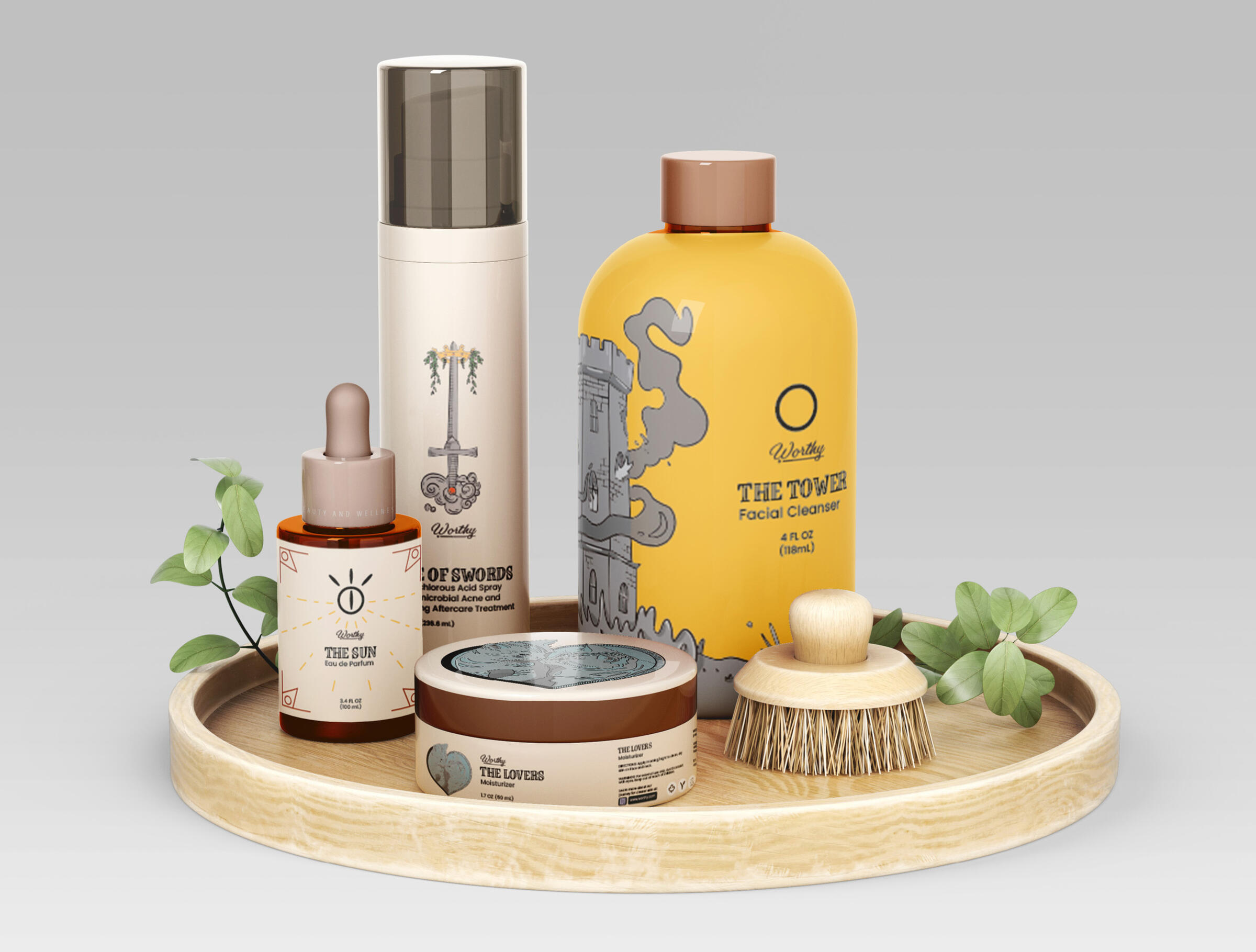
Worthy
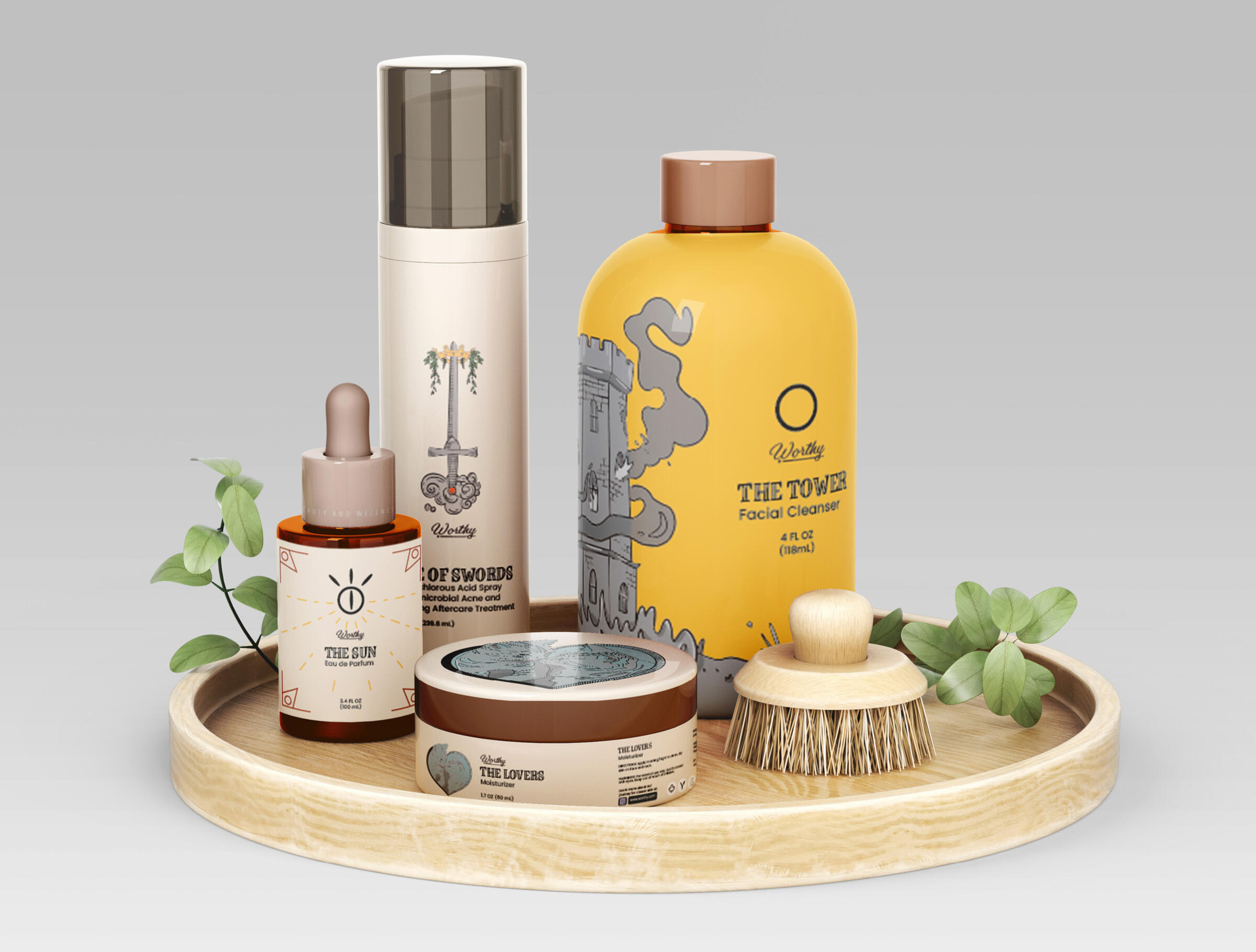
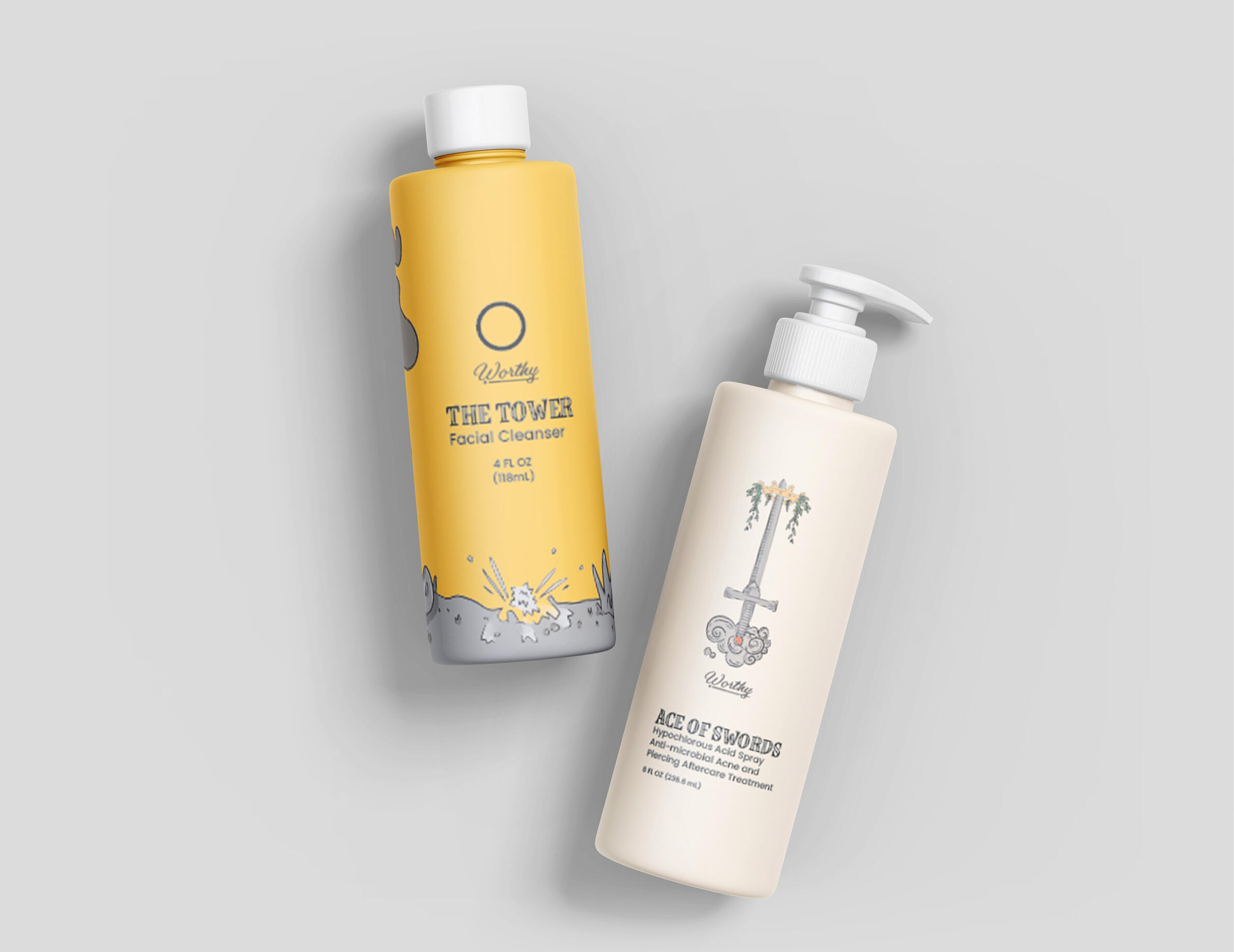
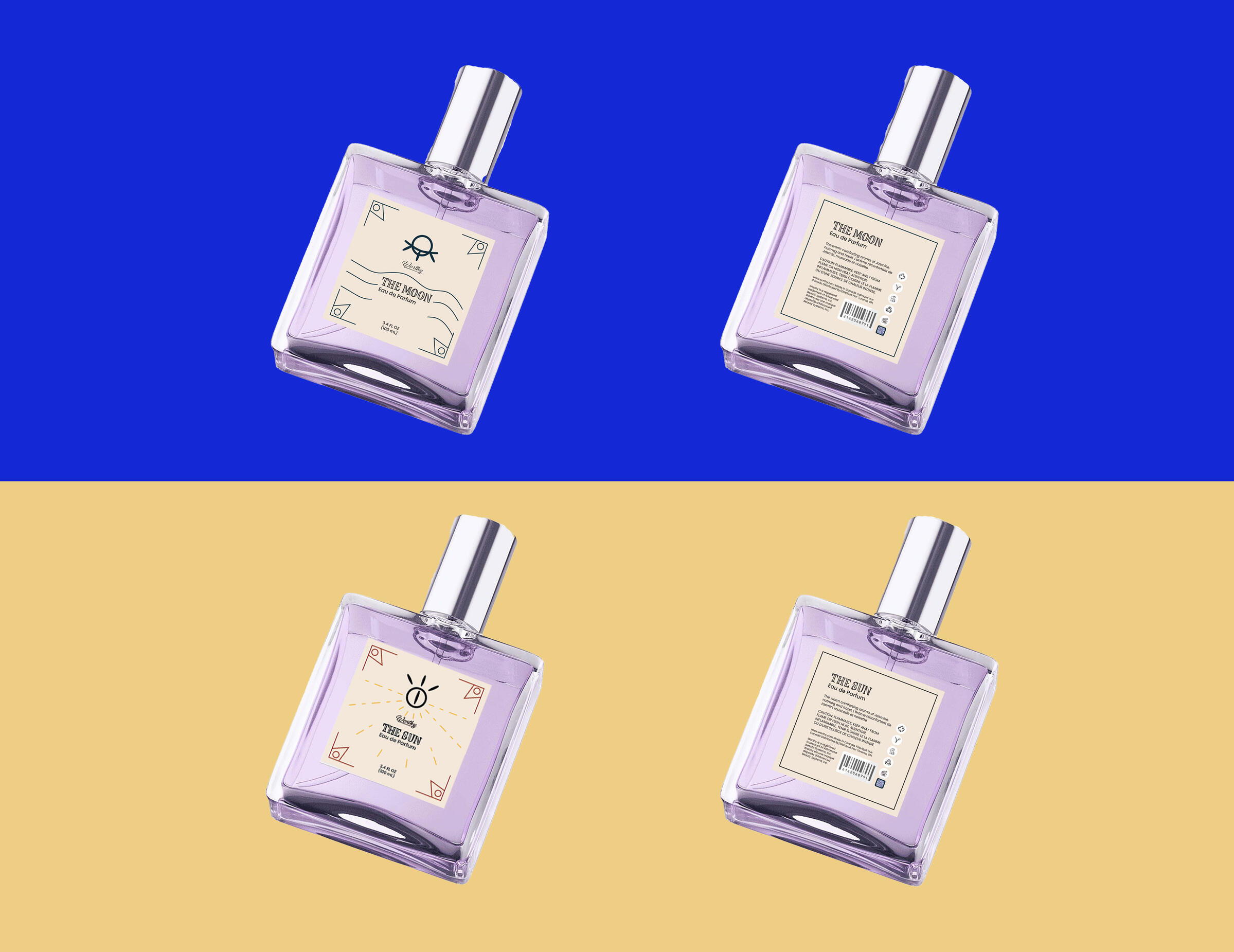
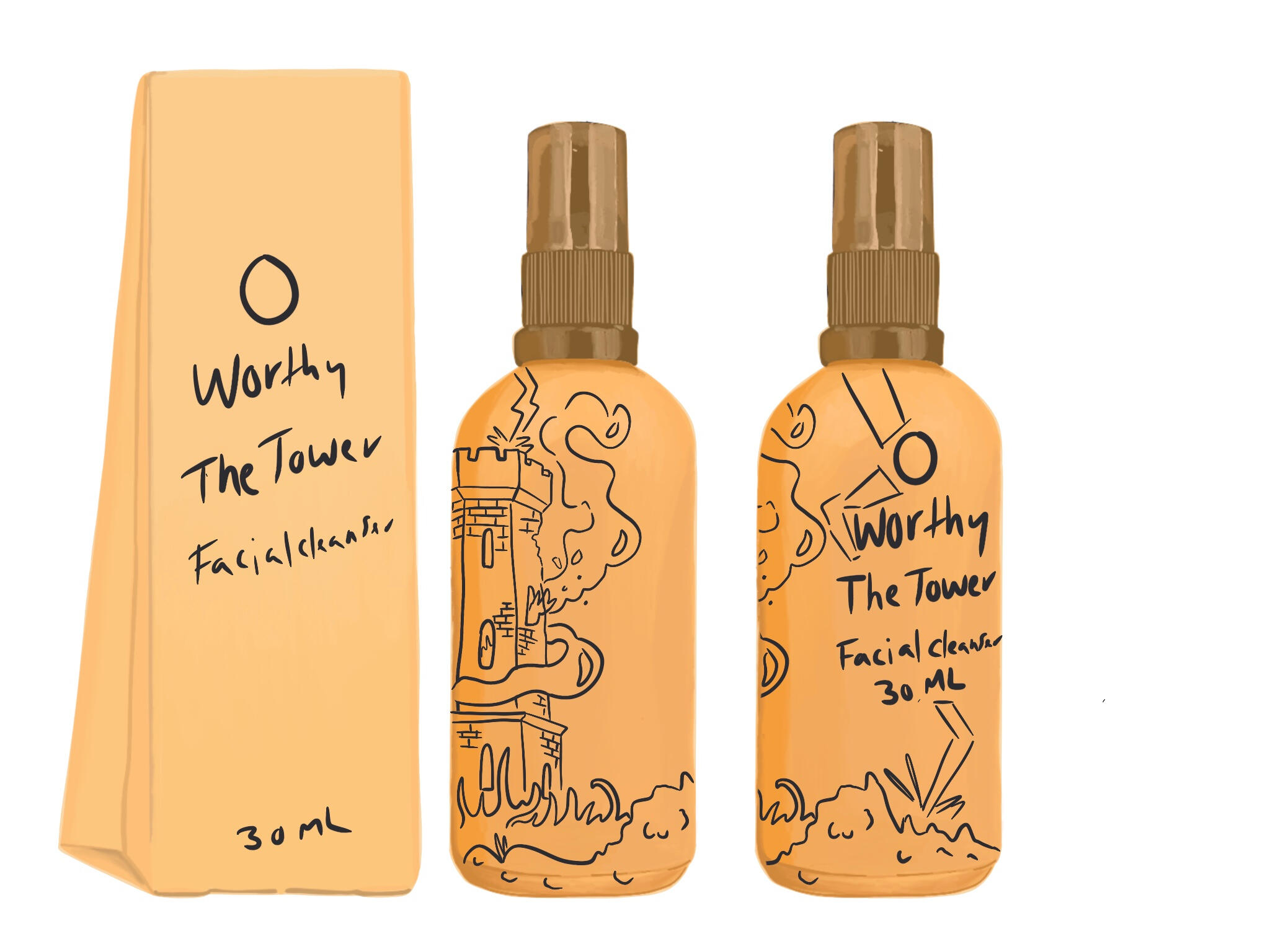
The project was a branding and packaging design project for an imaginary cosmetic brand. They have an "alternative style" demographic that want to unify their brand and create a brand of tarot themed cosmetics.
| Focus |
|---|
| The creation of my own imaginary Canadian brand for fun. |
| Tools Used |
|---|
| InDesign, Illustrator, Photoshop and Procreate (Illustration App) |
Worthy
Purpose & Goal
The purpose of this project was to create a portfolio piece that displays our full creative control in a graphic design project. The goal of my chose project was to develop compelling branding assets and packaging designs for my imaginary brand's success.
Worthy
Design Strategy
Each product for the packaging designs were made with an underlying message in mind. The sun, the moon, the tower, the lovers and the ace of swords were assigned to each cosmetic with their own story attached. The tower facial cleanser liberates skin from acne where the Hypochlorous acid breaks through and renews healing skin. Choosing popular tarot cards helped convey the underlying messages across to the receiver (consumer).
Worthy
The Process
As a packaging design project of an imaginary brand it only seemed natural to incorporate a branding element to expand this project. Creating a style guidelines booklet helped to both define elements needed for the packaging designs and rationalize design choices as the presenter.This branding booklet also helped to define demographics and what design elements would mesh well together.
Worthy
The Result
Overall, this was an interesting solo project to develop within 7 weeks. There's still so much to be done with this project, even if this project is complete. It would be fun to move this into UX/UI next.
The Project
Temporal Infographic
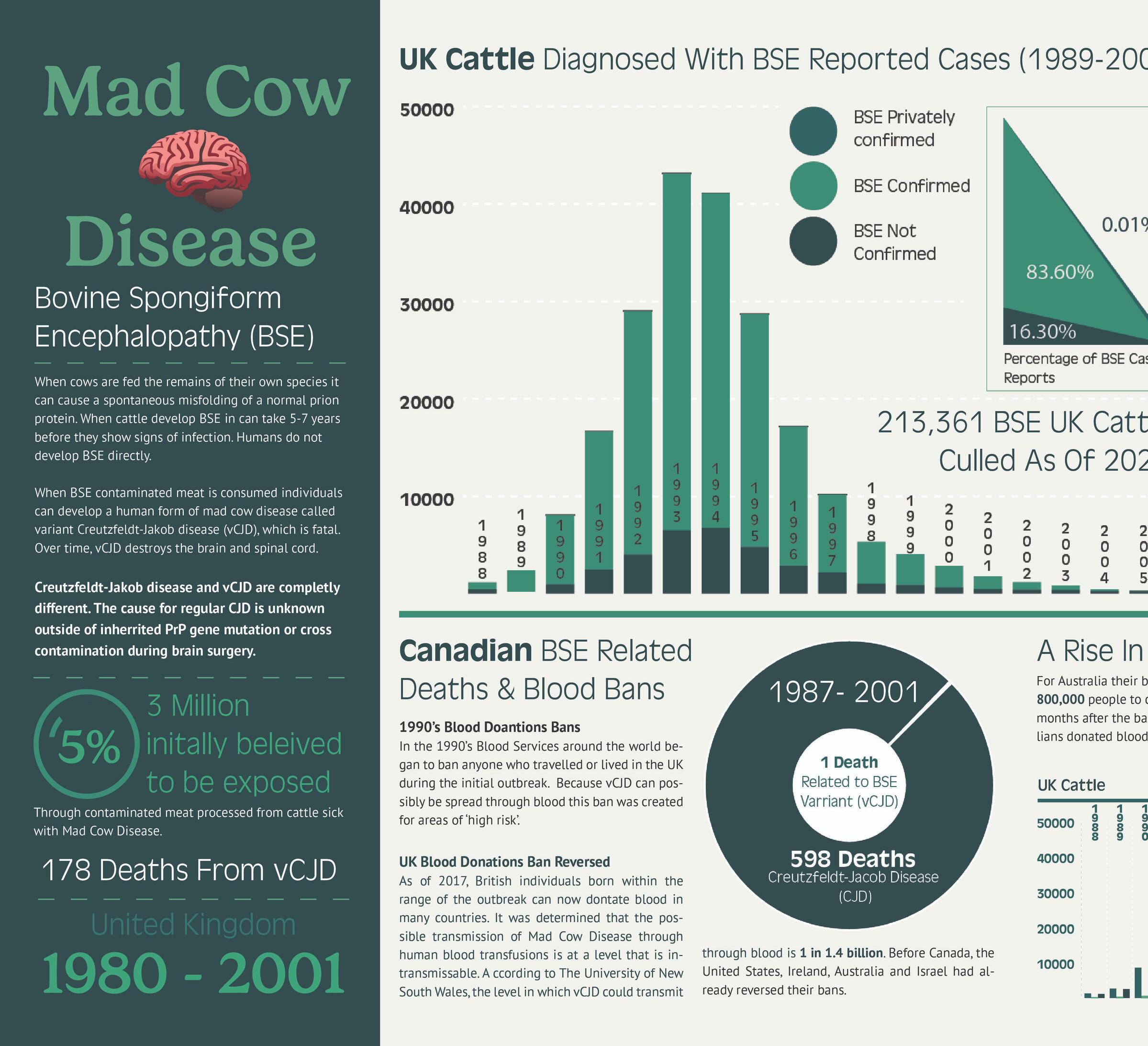
Project was to develop a a visually compelling and informative temporal (time-based infographic). Using skills in data-visualization and storytelling while exploring the concept of time and its connection to a historical topic.
| Focus |
|---|
| Great Britain Blood Services & Ministry of Agriculture |
| Tools Used |
|---|
| Adobe InDesign, Adobe Illustrator & Google Sheets. |
Temporal Infographic
Purpose & Goal
It was a story that both detailed how the British government responded to the problem and the mass hysteria that affected those who grew up in Great Britain at the time. It was an opportunity to resolve the misconception of “Mad Cow Disease” (vCJD) and Creutzfeldt-Jakob disease (CJD). A lot of CJD cases would sometimes be mistaken or interpreted as vCJD cases. It set the facts straight with research data so anyone outside of the medical field could understand. The goal was to help increase blood donations for countries that still ban British citizens to donate blood.
Temporal Infographic
Design Strategy
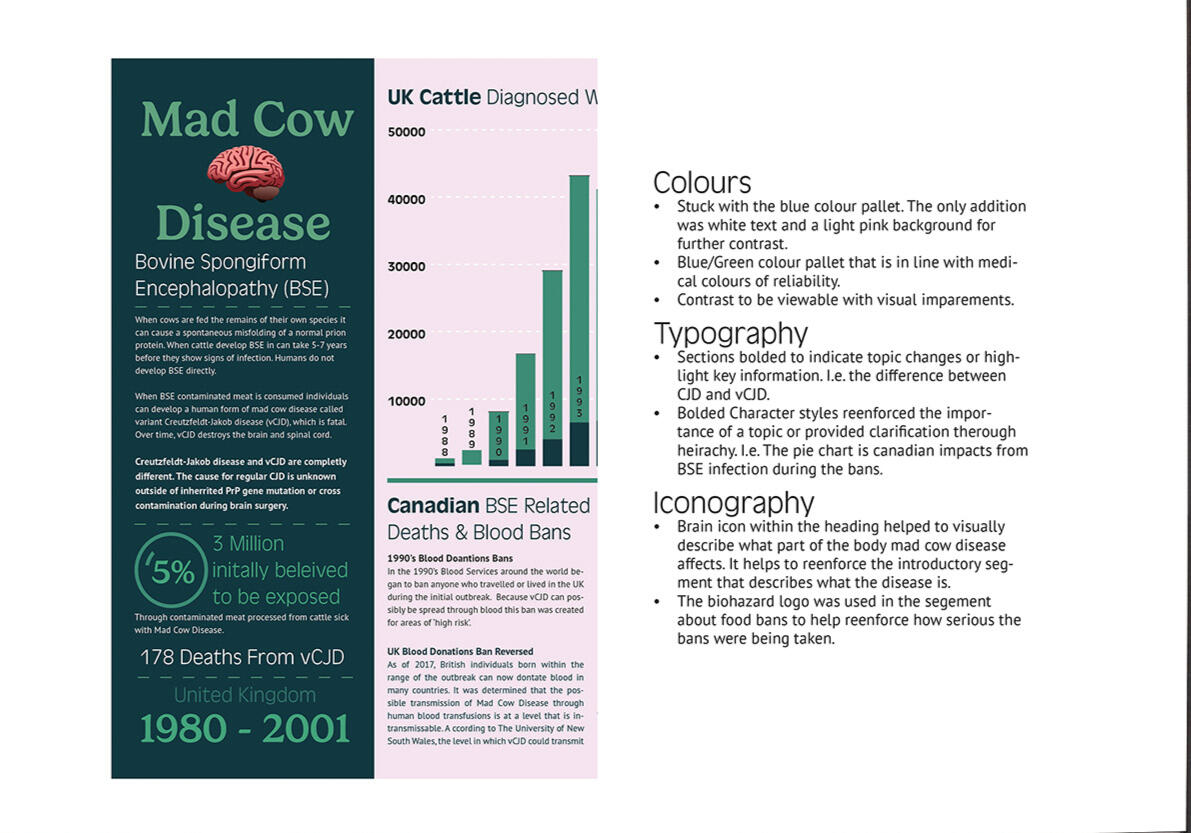
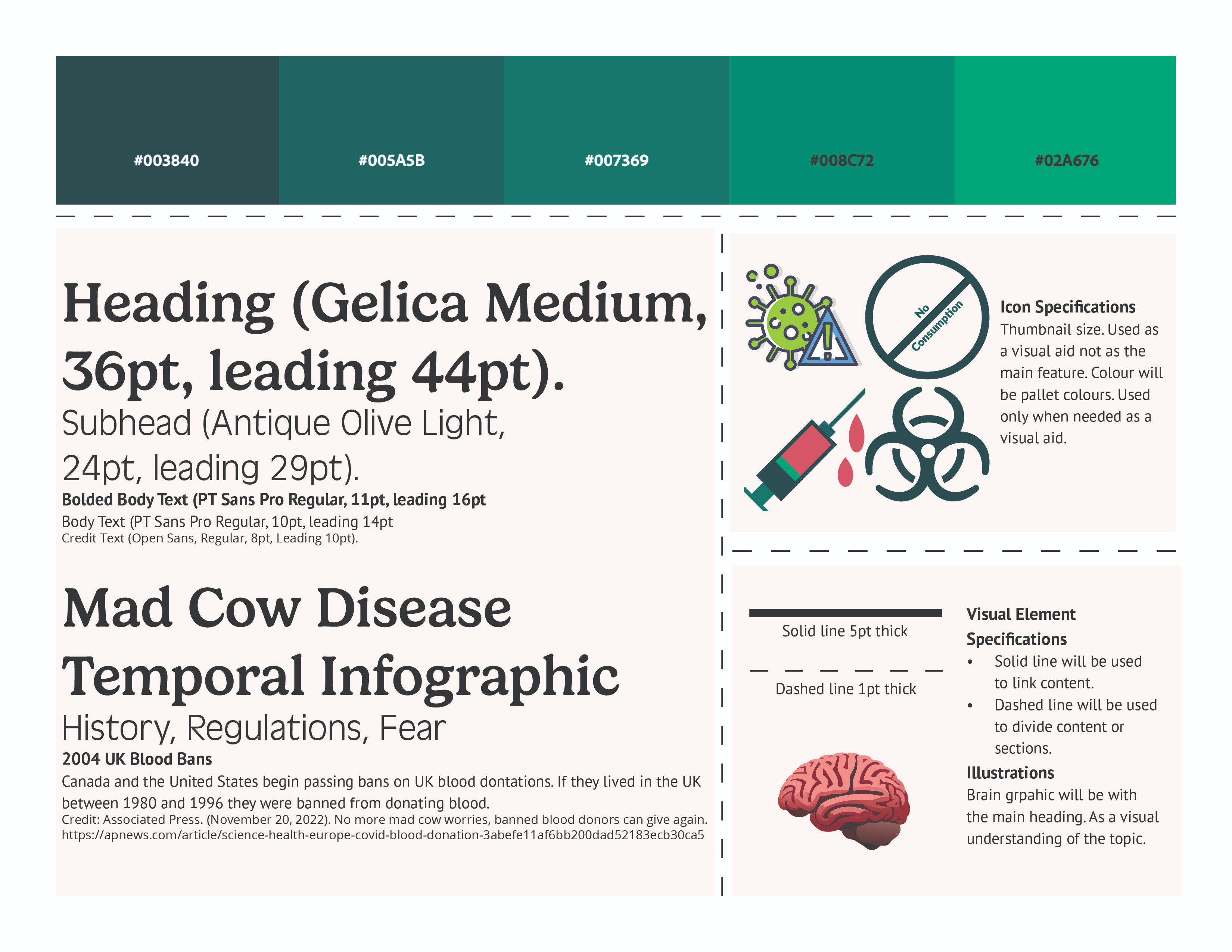
A blue pallet felt appropriate for the medical field. Blue is often used in the medical field to express reliability, stability, and calmness. This is the emotive experience needed for addressing the misinformation of the epidemic. Green hues were utilized to touch on the agricultural influence. Developed medical iconography to further emphasis and explain concepts. For example a brain icon was necessary to develop to explain where Mad Cow disease attacks to help with connecting ideas and concepts.
Temporal Infographic
Solution
As a designer our hardest job is to express our message as the sender to the receiver (the reader). Since this was an information heavy project it required a lot of revisions to ensure the information presented was respectful and factual.
Temporal Infographic
The Process
The production stage is where I brought all of my research and design plans together to formulate a compelling infographic design. Adobe illustrator was used to form the temporal elements (column graphs, pie charts and area graph). InDesign to put all elements together and utilize parent pages. Various data visualizations techniques used in the final Stacked column graph, Column graph, Legends and colour contrast (through colour pallet), Percentages bubbles, Pie chart, Area graph.
Temporal Infographic
The Result
Our creative director (our professor) held meetings to engage in criticism meetings on our designs direction. Set up print ready files that could be sent to a printer.
Project
Humber Arboretum Signage
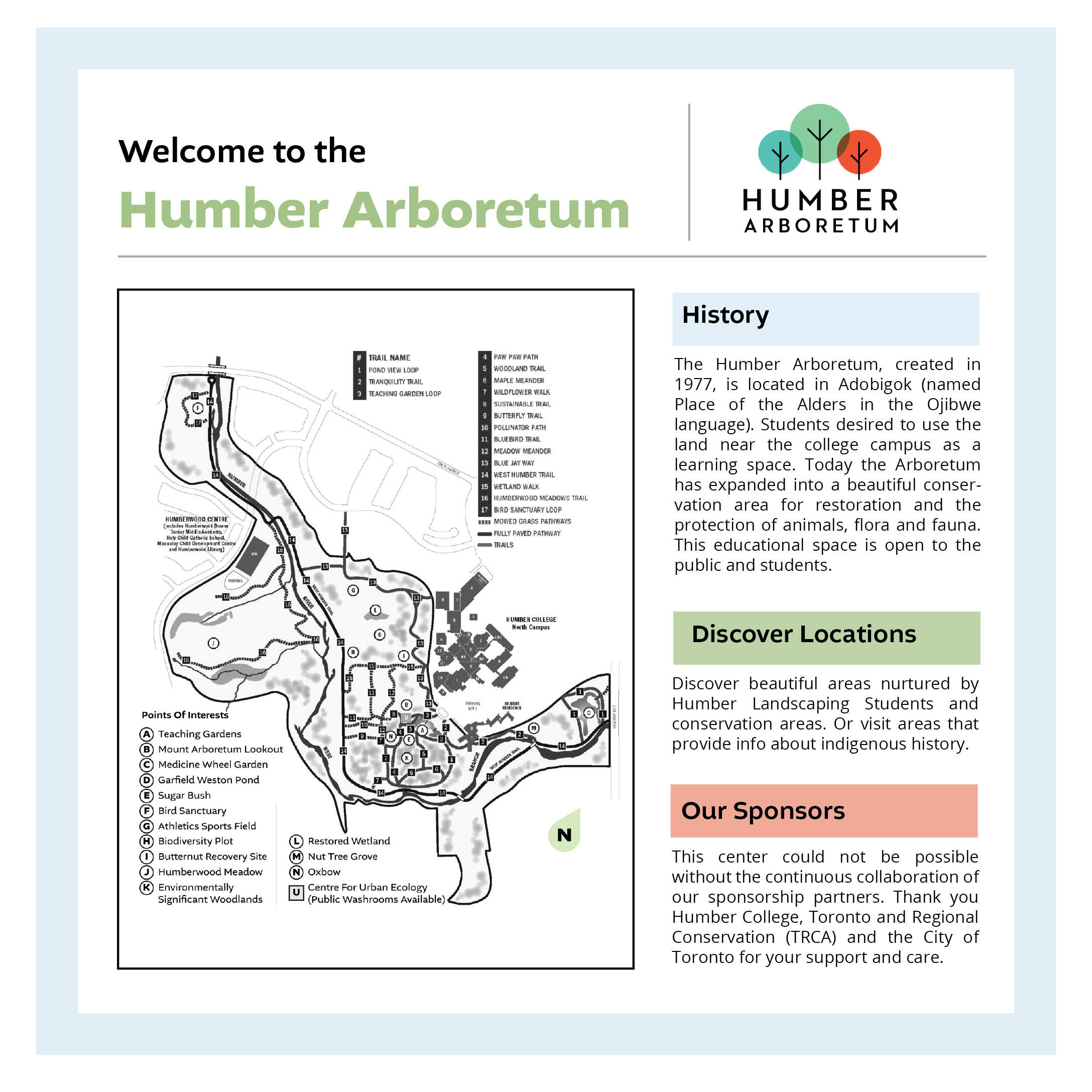
As a team Celena Thompson and I worked to update the Humber Arboretum signage at Humber North. The landscaping and environmental preservation student had done wonderful work on the local trails. We felt that new signage would be reflective of that beauty and apperception.
| Focus |
|---|
| Humber Arboretum |
| Tools Used |
|---|
| Indesign and Illustrator. |
Humber Arboretum
Purpose & Goal
We sought out to make a signage system that better encapsulated the brand identity of Humber. Making the signage have better contrast for visually impaired students and locals on the Humber escarpment trails.
Humber Arboretum
Design Strategy
The purpose of this system was to guide and inform visitors in a better format at theHumber Arboretum for both awareness and safety.We decide to focus on the typography first and foremost. Each sign provides important information for the community. It was essential to ensure that information could be clearly read.Our design elements were kept simplistic to help create strong visual hierarchy. Also to frame important information.
Humber Arboretum
The Process
Starting off we strategized who would regularly use these trail and what their primary concerns were. We also walked the trails to get an understanding of information pain points (I.e. if we got confused by signage information etc). Then we listed what icons were needed on the trails, where they should be placed and what sizes were needed for the signs. Using illustrator artboards we made the icon elements, typography guidelines and colour palette. After a few rounds of ideation and review we organized the signs into a presentation.
Humber Arboretum
The Result
The artboards were great for us to make each element at a scaled down version. This enabled it to be presentation friendly, but also size that we could enlarge if Humber approved the redesigns.
The Project
Editorial Branding
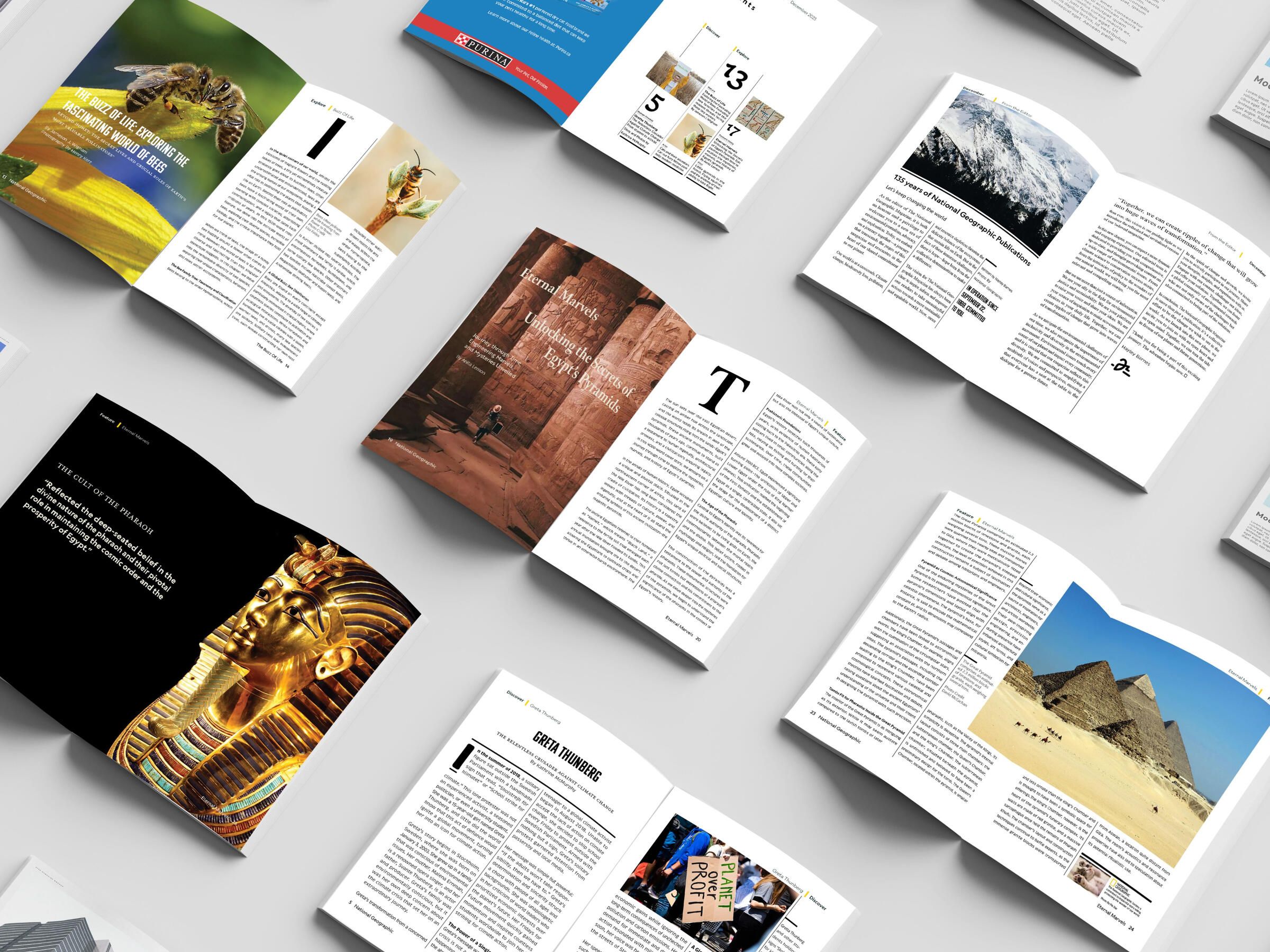
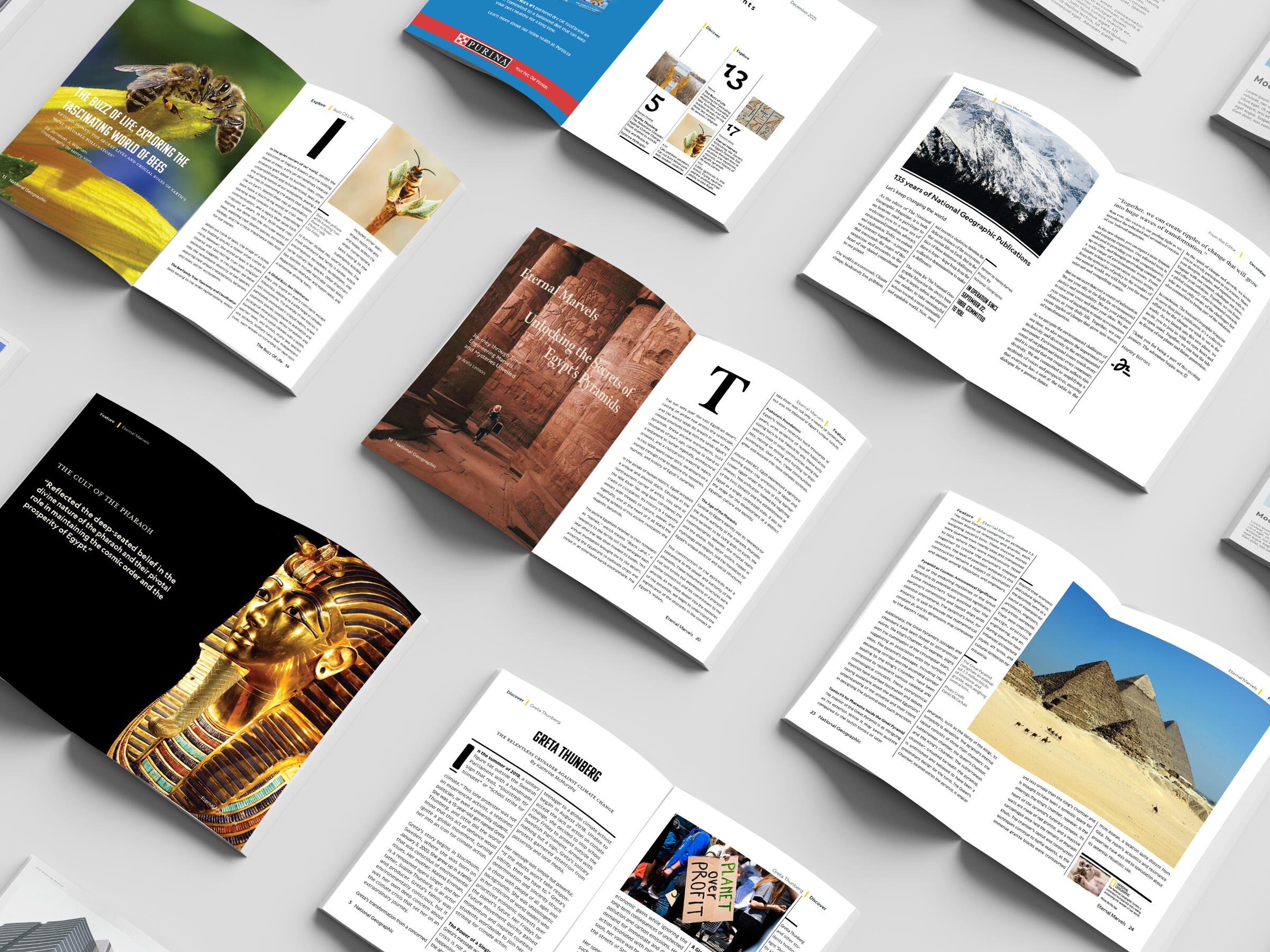
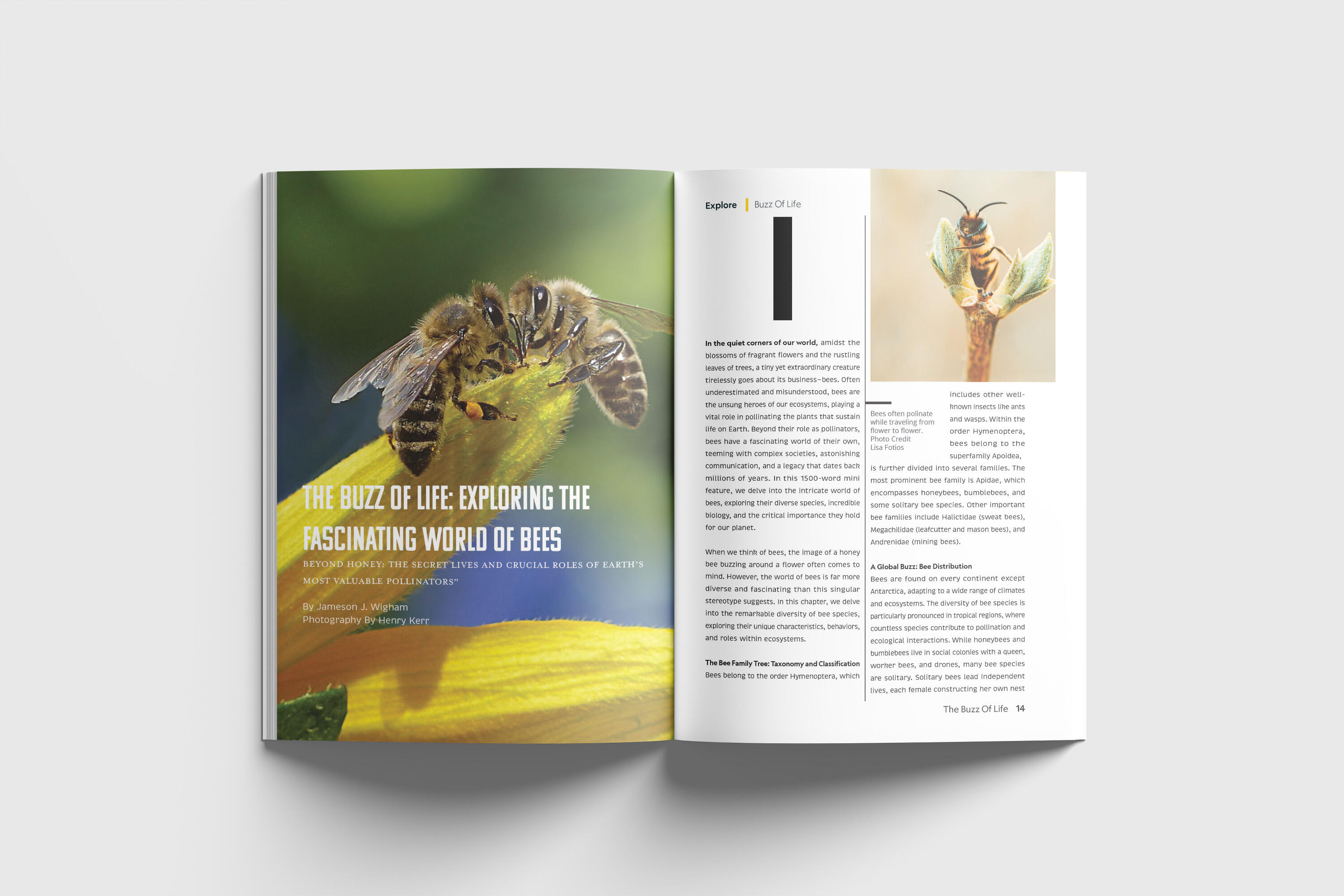
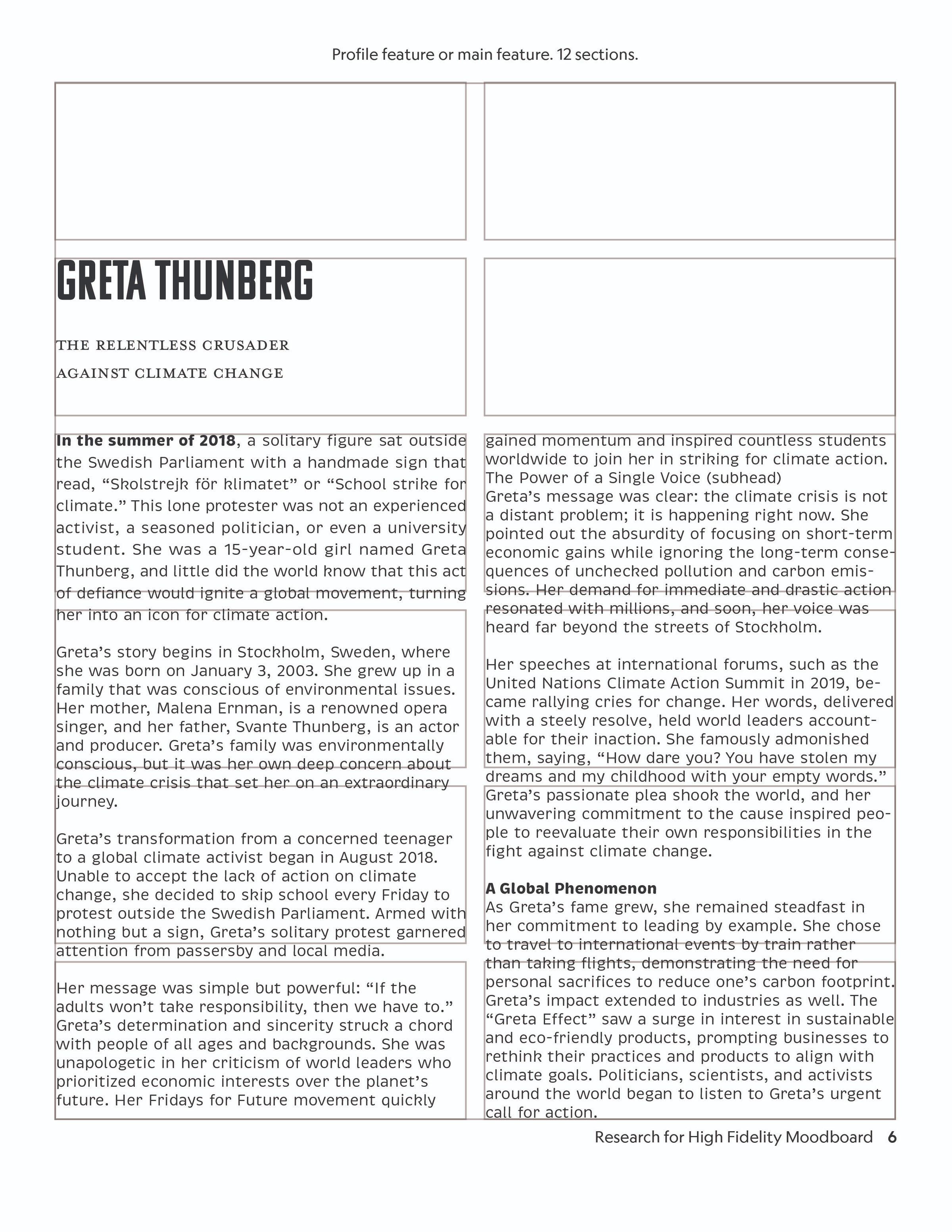
A hypothetical next month edition of the National Geographic Magazine. Developing a cover, letter from the editor, a cover story, mini-features, and a profile story with the use of AI. In addition to the creation of a TOC table of contents and two ad’s commonly displayed in the NatGeo publication.
| Focus |
|---|
| National Geographic Magazine |
| Tools Used |
|---|
| Adobe InDesign and Photoshop |
Editorial Branding
Purpose & Goal
Created to analyze National Geographic editorial style and branding guidelines. Publications require designers to understand branding guidelines, utilizes them in designs to make each project unified.
Editorial Design
Design Strategy
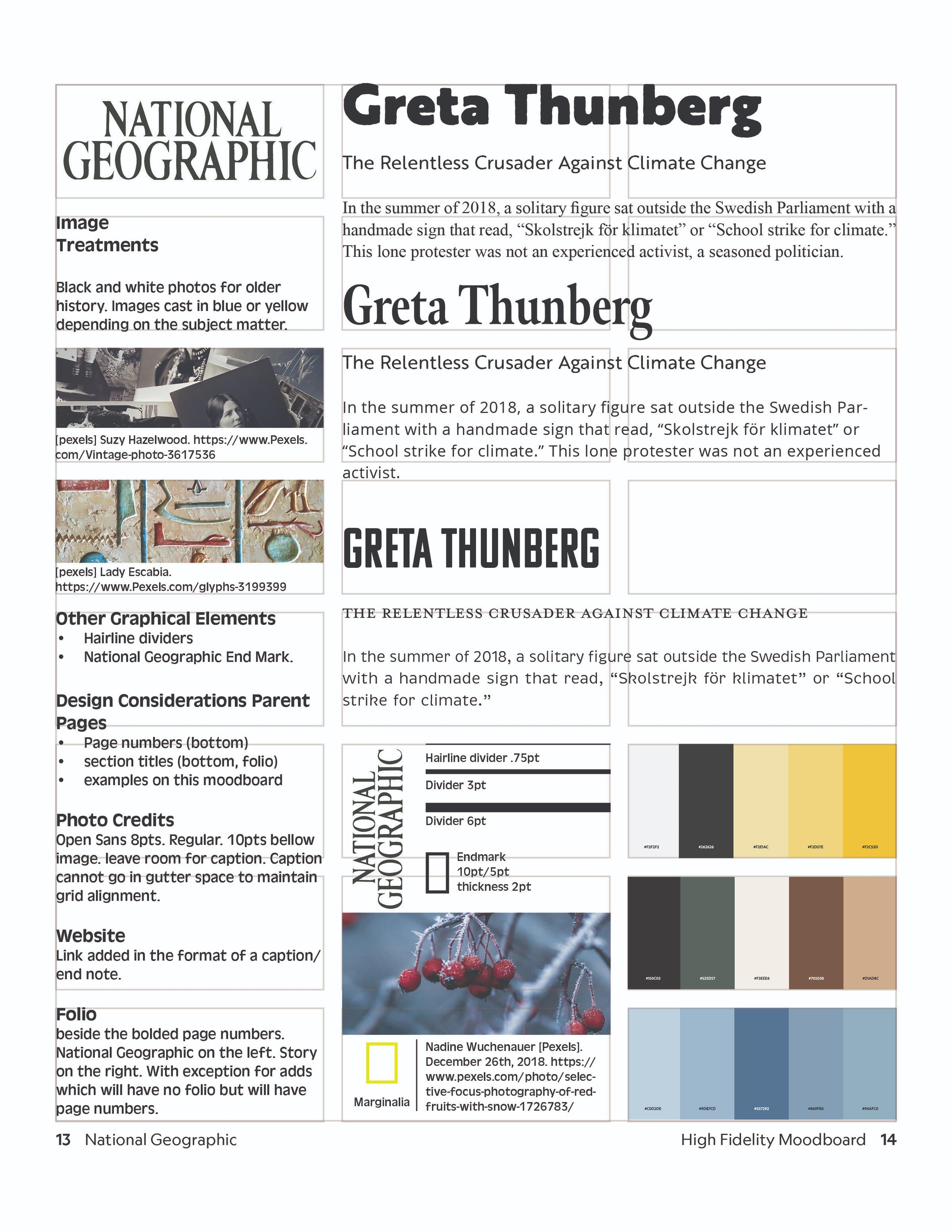
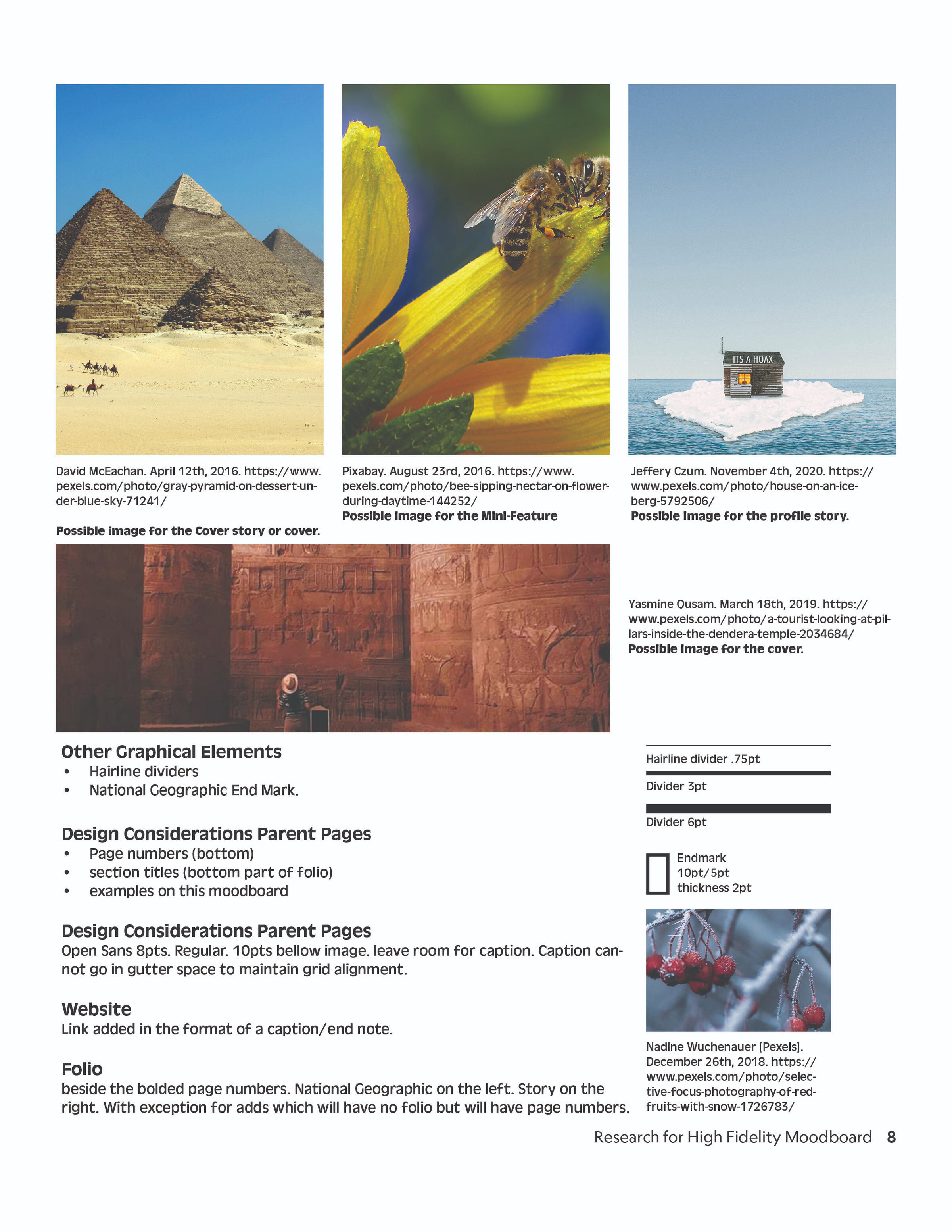
Gathered branding guidelines of the publication and formed a high fidelity mood-board of the publication. Gathered typography fonts commonly used by National Geographic, analyzed their image treatments and grid/marginalia rules. Studied what is commonly reused and what design styles are commonly used in monthly production rotations.Crafted create fake articles that would be in the general interests of normal NatGeo subscribers. Edited those prompts to form a letter from the editor, a cover story, mini-features, and a profile story. In addition to the creation of a TOC table of contents and two ad’s commonly displayed in the NatGeo publication.
Editorial Branding
Solution
The main issue was developing a true style guide to their publication that didn’t accidentally add style elements reserved for their web based platforms. The solution was to personally design and develop their magazine style guide by following what formats and design elements were only in their books.
Editorial Design
The Process
Established brand of a publication. The typography, imagery, alignment, and page furniture from National Geographic’s style guidelines.Indesign TechniquesDeveloped a style guide for the "new" issues design. Developed a fat plan with parent pages to organize recurring content. Developed paragraph styles for the Masthead, Dek, Subheads, Body Copy, and photo credits. Chose character styles for drop caps and thicker font weights for bold text in the body copy. In order to create run-in sections and bold key information. Addressed H&J violations, kerning, tracking, leading, alignment, and set the baseline grid to the leading of the body copy. Each of these addressed elements put together formatted the body copy to be legible for readers. This removed text rivers and valleys, text widows and orphans.Photoshop TechniquesDeveloped image treatments to align content with the new issue. Formatted images into proper specifications. (CMYK, 300PPI, images no larger than needed at 100%).
Editorial Branding
The Result
Our creative director (our professor) held meetings to engage in criticism meetings on our designs direction. Set up print ready files that could be sent to a printer. Printed our magazines to files dimensions and combined the magazine together as a final product.